Computer Vision Powered Tactile Interfaces for XR Interaction
Research project exploring how sensorless interactive tactile interface objects could be enabled by utilising visual markers and computer vision to enable new interaction experiences in XR applications.
The input system comprises two components which enable passive interface hardware to be comprehended from camera data and the input information passed to VR applications. The input system driver and the individual input modules.
Input driver
The input driver handles camera data input, image pre-processing, calibration, networking, debugging visualisation and control of the individual input modules. The input system is written in Python utilising packages OpenCV and Asyncio. The input system driver runs independently of other applications on a PC. The input driver handles the connection and sampling of data from a camera. Using OpenCV, images are read at 60Hz and can be accessed by the rest of the system for processing. In the testing setup, the camera was mounted statically on a tripod aimed toward the user and interface.
Pose input module
In the system, input modules comprise the physical + visual form required to be viewed by the camera and the CV processing steps for the visual data of the physical device to be converted to a input understanding.
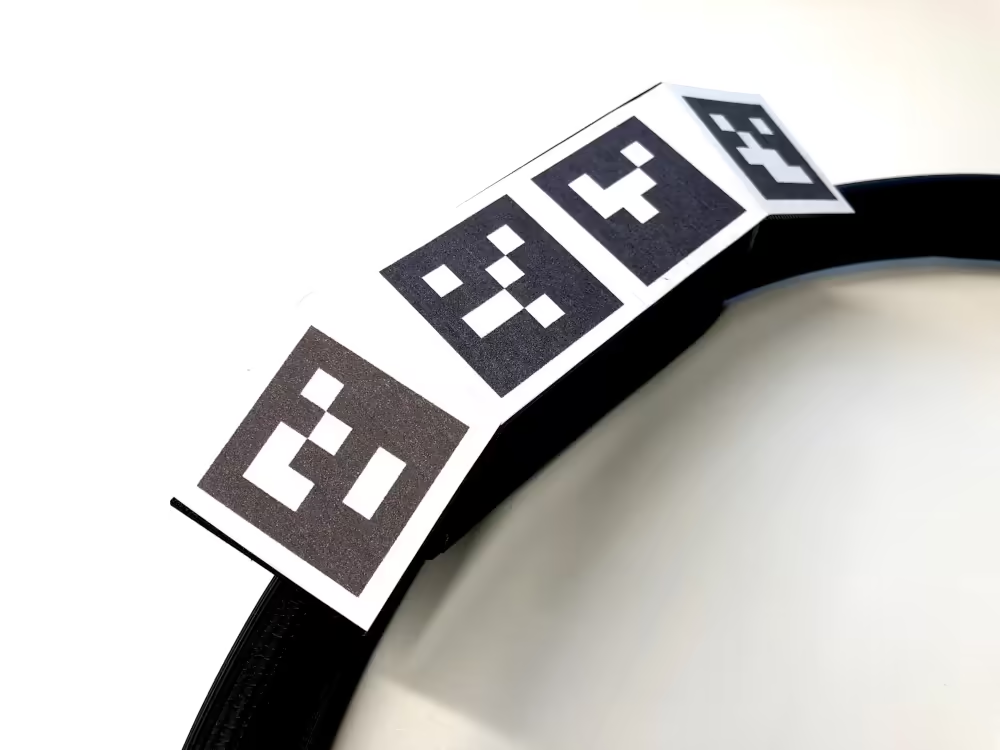
The pose of an object describes its position and rotation in space with respect to an origin point. The pose input module allows tangible objects of various shapes to be tracked and brought into a virtual world by use of simple printed paper fiducial ArUco Markers attached to the surface of the object.
The ArUco marker library is used to estimate the pose of an object by first detecting all visible markers in the image. Then, markers that are known to be part of a specific tracked object are used together to estimate the pose of that object within the camera’s coordinate system space. The marker configuration for a single object is referenced from the CAD model and is used to determine a single pose from the multiple individual marker pose estimations. For the object to be tracked, at least one marker must be visible by the camera though performance is improved with more markers of greater size.
Applied interfaces
Different concept XR use cases were used to test the modular input system in context. For each of these, a tactile device was created using input modules which was designed to be used in a demo VR application.
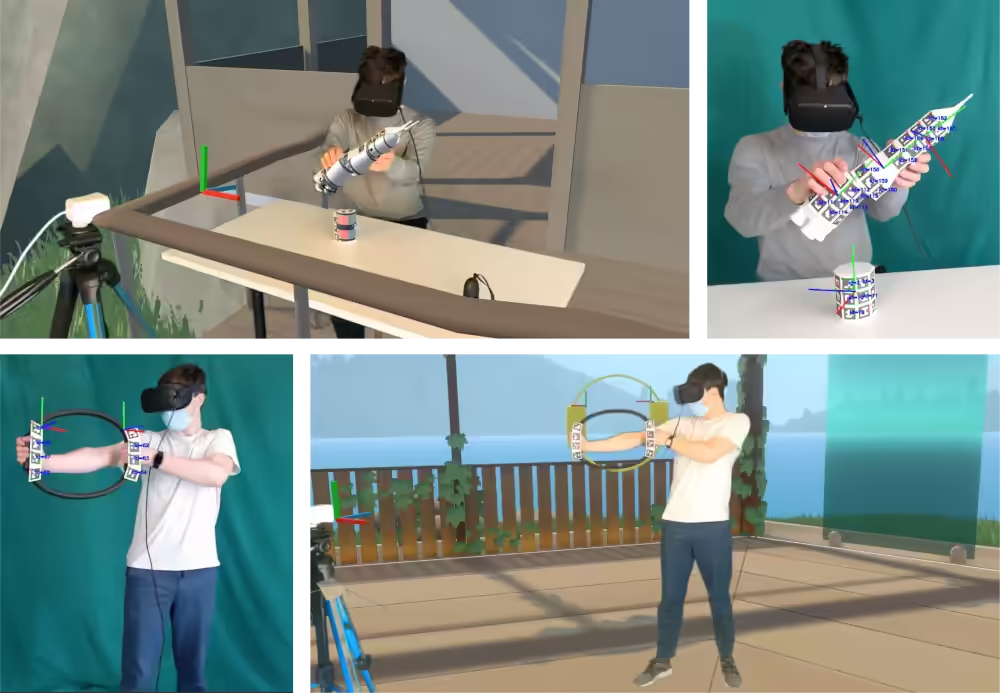
The ActiveXR concept explored how the input system may be used to create tangible interfaces for exercise in VR. The interface for ActiveXR takes the form of a resistive deformable handheld ring. Two pose input modules were utilised to track each handle of the interface and the extent to which it is deformed when the user is compressing or stretching it.
The LaunchpadXR concept explored how the system may be used to create new educational experiences. Using various magnetically attachable tactile modular rocket components (including a fuel tank, engine, crew capsule and adapters) users can assemble their own space craft design. A further, developed version of the concept could then include a physics simulation of a test of the design along with information about how each of the components works. Each component utilised a pose input module to track the position and relation to other rocket components. A complete covering of ArUco markers was used on each face so that the components could be seen from all angles and when partially obscured.
Applications
Through the use of a messenger socket system, applications can use data from the input system. In the messenger system implementation, the Unity application hosts a .Net socket server which the client input system connects to by establishing a network stream. Json encoded interface data is sent by the client at a frequency of 60Hz. The server then decodes the input data messages providing the values for use by the Unity application.
To test the new interfaces, VR demo applications were developed in Unity using the Oculus SDK. These applications aimed to be a vertical slice example of a concept interactive XR experience. Each demo included a virtual environment in which the input interfaces could be operated. Utility features were incorporated to enable the input system to be used such as a camera alignment tool which allows the input system to be calibrated.
Mixed reality capture
To capture the experience of using the new interfaces and applications, mixed reality recordings were created. These enable viewers to see the chroma keyed real-world interface interactions with the virtual environment overlaid in front of and behind the user.
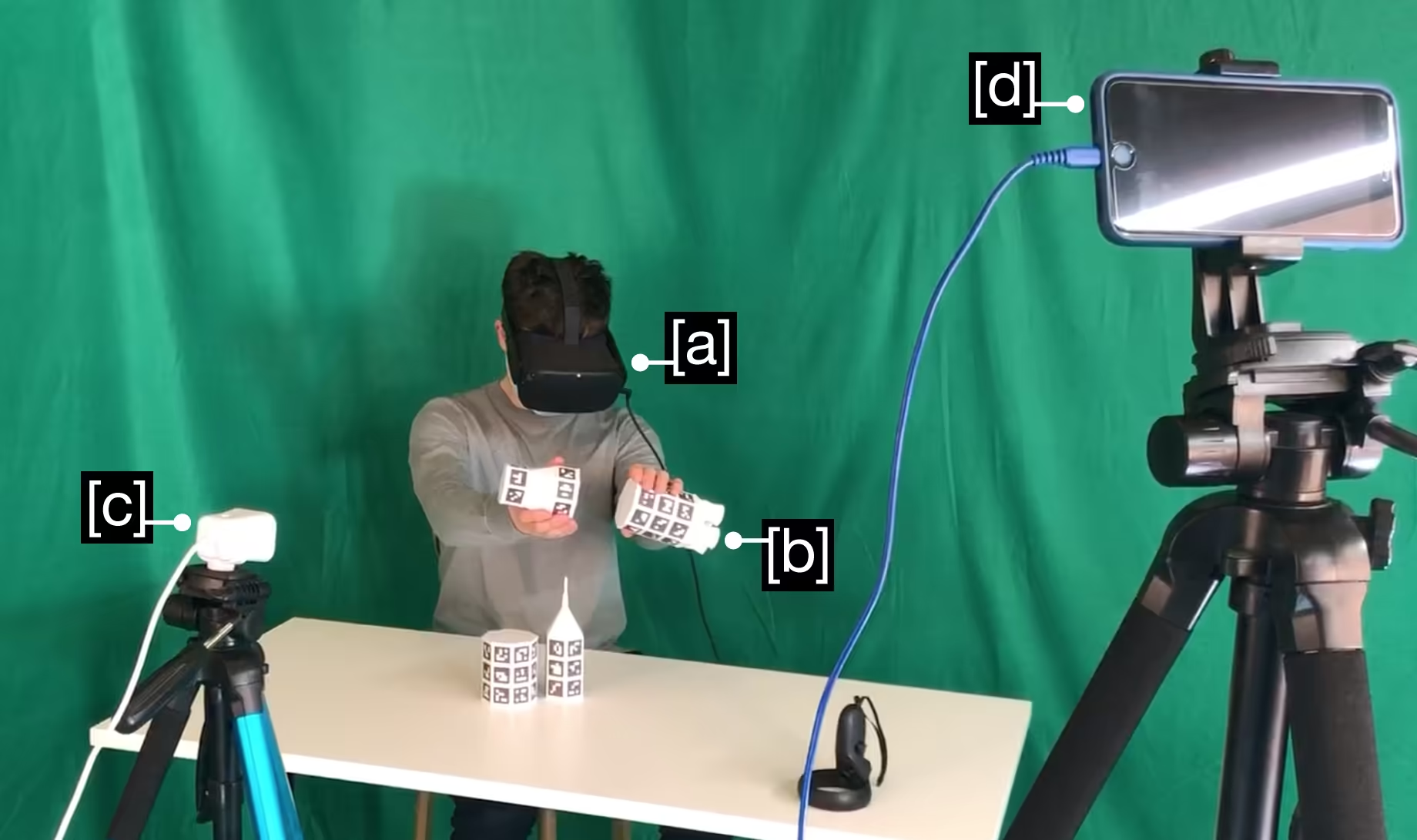
The figure below presents the setup used for mixed reality capture. A green screen was used such that the background can be replaced with the virtual environment rendered by Unity. Additional equipment included a lighting array, and a PC running the input system, Unity application and OBS.
Hand tracking integration
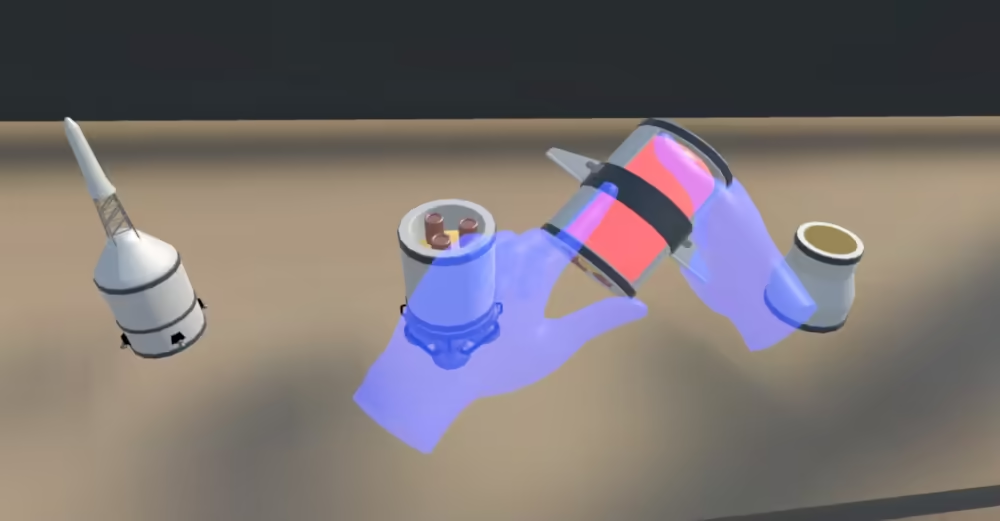
Oculus Quest hand tracking was integrated into the LaunchpadXR experience to be used in conjunction. The application was run within Unity allowing hand tracking data from the Quest to be used by the program. Using this method, the hand and tactile objects align with their virtual representations. When reaching to grasp a virtual component a physical object is there to collide with the user's hand.
Specifications
| Manufacturing methods | 3D printing |
|---|---|
| Development tools | Python, Flask, OpenCV, Unity |
| Exhibited | Dyson School of Design Engineering Summer Show 2021 |