Shared Construction Toy Building System
An experimental IoT system that enables two people to remotely collaborate on the construction of an object from interlocking bricks. The system comprises a data gathering build plate interface, computer vision algorithms to interpret the additions and removals of bricks, a mobile application to monitor the state of the virtual shared model, and a server system which synchronises data between multiple build plates and application instances.
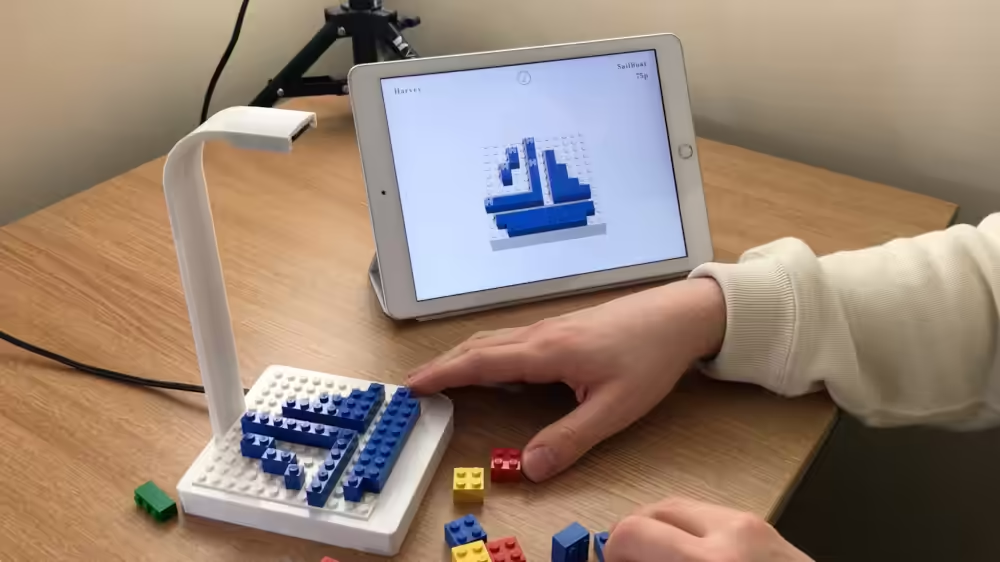
Interface Hardware
The build plate interface is comprised of a 12 by 12 unit construction area on which the user can construct single level interlocking brick creations using different shaped and coloured components. A built-in camera mounted above the build plate captures the building process which is then processed using a computer vision system running on the Raspberry Pi housed in the base of the unit. The system posts updated brick configuration data to the server utilising its wireless network connection.
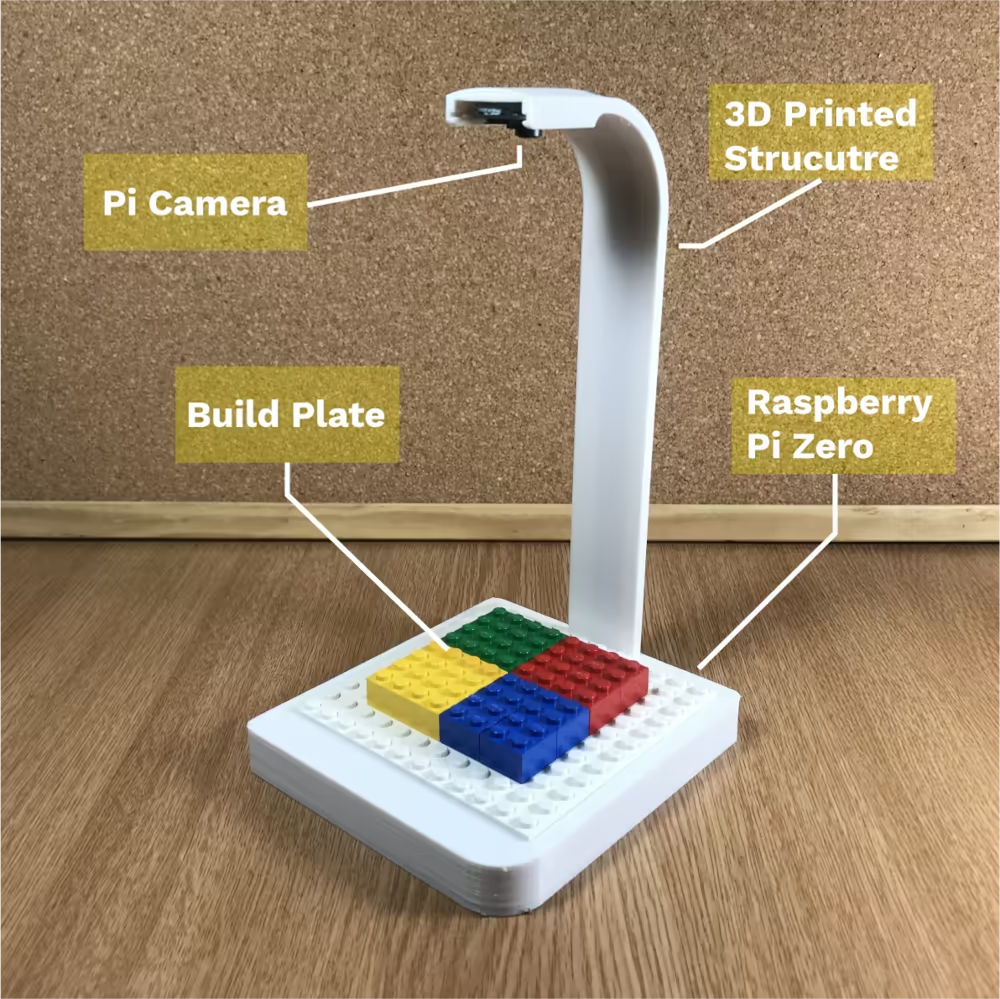
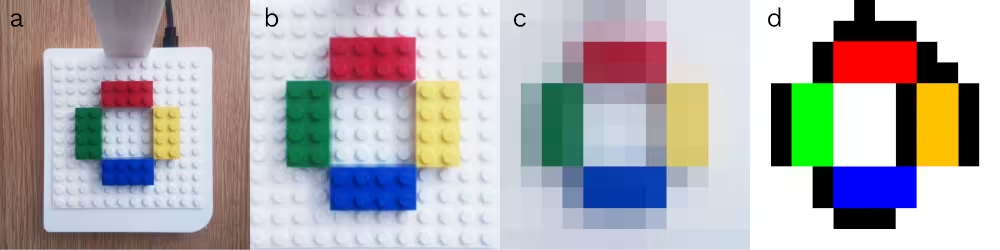
Image processing
For the system to understand changes to the brick configuration on the build plate, each image captured is processed in two stages. Stage 1 converts an image into a stud configuration which is a 12 by 12 sized array containing the colour ID for each unit of the build plate including areas which are uncertain (for example shadows or obscured regions). In stage 2, the brick configuration is updated based upon the changes to the stud configuration calculated in stage 1.
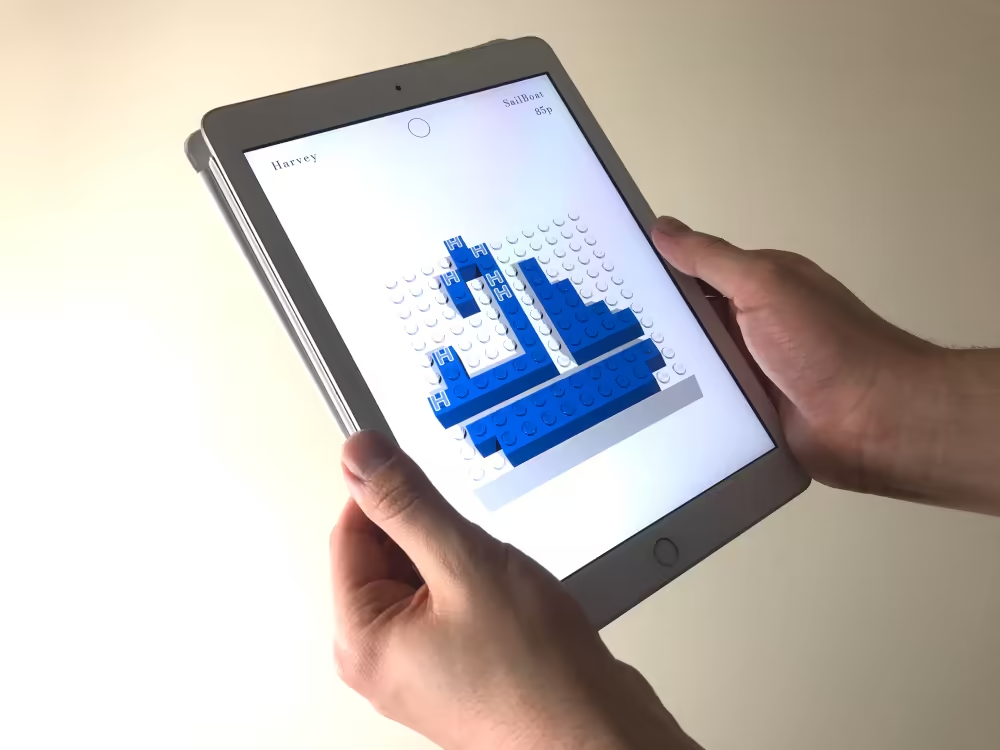
Application
The IOS application developed using Unity is used to visualise the virtual version of the collaborative creation. Changes made on different collaborators build plate interfaces are reflected in the digital model in real-time. When collaborators make changes to the shared model these changes are seen by all users. Within the app, users can select a model they want to work on by entering the model name and enable or disable editing mode. Once they have selected a model they will then see a visualisation of it showing the different collaborators contributions. Bricks for which multiple users ‘agree’ the position are shown as solid coloured bricks. Bricks for which only one user has placed are labelled to indicate which contributor suggested it. By matching the suggestion of another contributor, the brick will become solid coloured without a label indicated that it is now synchronised.
Server
The server is utilised by the interface hardware and application to synchronise changes and store model data via its API. This was developed using Python, Flask, and PyMongo and is run on a network connected computer. The API provides the functionalities needed for the interface unit to upload new brick configuration data and for the client app to get the latest data for a specific model and switch the editing mode status. The server estimates the total model cost using placeholder values for the brick costs. This could be replaced with cost estimations from a source such as the BrickLink API in the future.
Specifications
| Manufacturing methods | 3D printing |
|---|---|
| Development tools | Python, Flask, OpenCV, Unity |
| Materials | PLA filament, Raspberry Pi Zero, Raspberry Pi Camera, Lego bricks and build plate |